
Virtual Assistant Portfolio
Email Management
Managed a client’s inbox with 500+ daily emails by setting up filters, labels, and templates. Reduced response time by 40% and improved overall email organization.
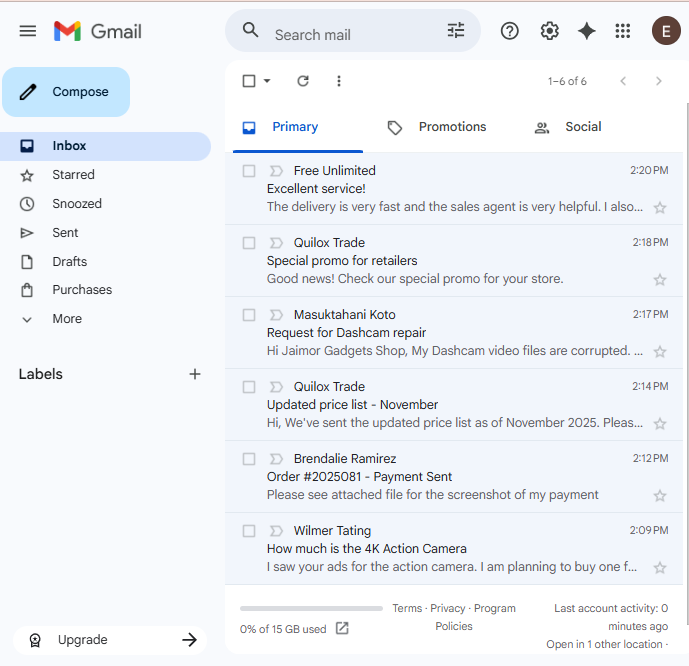
This is the actual email received by Jaimor Gadget Shop. It includes customer inquiries, order confirmations, supplier emails, service requests, marketing newsletters, and feedback or complaints.
Labeling
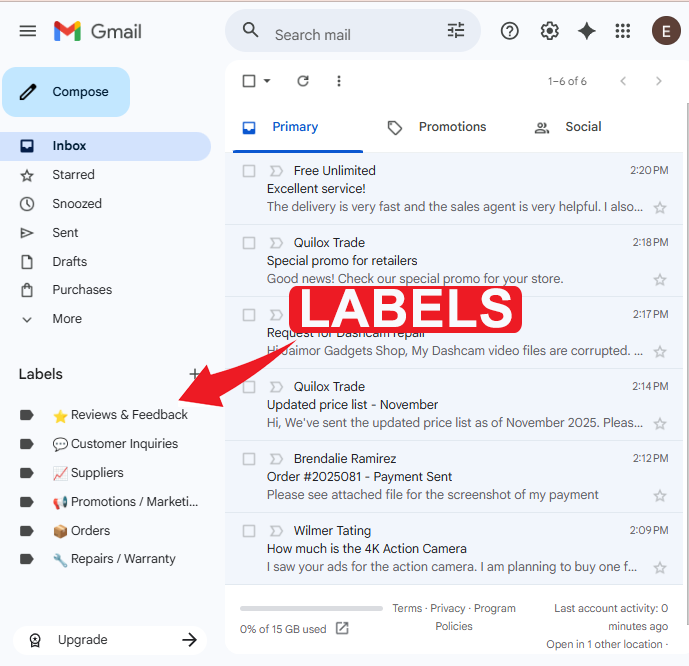
To organize the inbox, I created labels in Gmail to categorize emails based on their type and purpose.
This helped separate important messages such as orders, customer inquiries, supplier updates, and warranty requests, making it easier to track and respond efficiently.
By applying labels and color-coding each category, I was able to maintain a clean, well-structured inbox that improved response time and reduced the chance of missing important emails.
Example labels created:
📦 Orders – for order confirmations and payment updates
💬 Customer Inquiries – for product questions and availability requests
🔧 Repairs/Warranty – for service-related messages
📈 Suppliers – for stock updates and price lists
⭐ Feedback – for customer reviews and testimonials
Filtering
To make inbox management more efficient, I set up email filters that automatically sort incoming messages into the correct folders based on keywords and sender information.
For example, emails containing words like “order” or “payment” were automatically labeled as Orders, while messages with phrases like “how to order” or “price inquiry” were directed to Customer Inquiries.
This automation reduced manual sorting time and ensured that important messages were immediately prioritized.
It also helped prevent clutter, allowing for faster response times and better tracking of customer requests, orders, and supplier communications.
Example filters used:
Emails with “order,” “invoice,” or “payment” → Orders
Emails with “how much,” “available,” or “how to order” → Customer Inquiries
Emails from supplier addresses → Suppliers
Emails containing “repair” or “warranty” → Repairs/Warranty


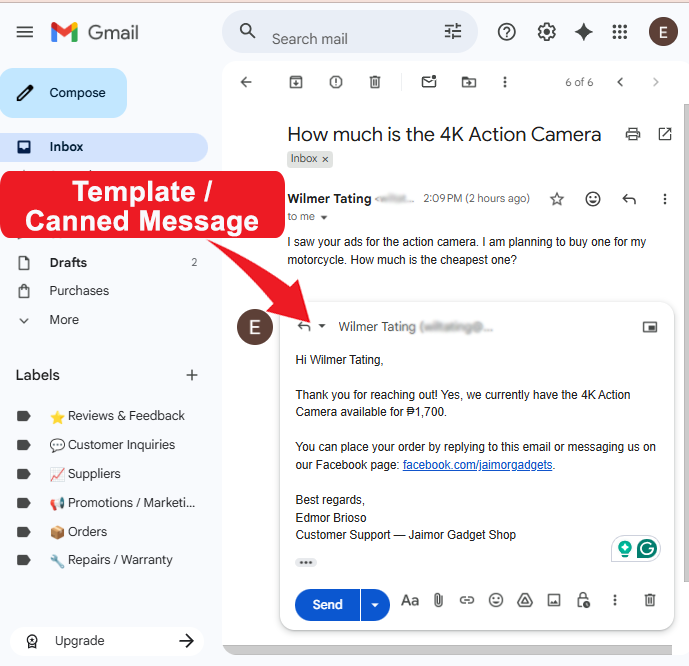
Template / Canned Message
To maintain consistent and timely communication with customers, I created email templates (canned messages) for common types of inquiries and transactions.
These templates made it easy to respond quickly to frequent messages such as product inquiries, order confirmations, and warranty requests, without having to type the same replies repeatedly.
By using pre-written templates, I ensured that every response was clear, professional, and aligned with Jaimor Gadget Shop’s customer service tone. This helped improve response time and enhance customer satisfaction.
Examples of canned messages created:
Customer Inquiry Response – thanking customers for their message and providing product details or pricing
Order Confirmation – confirming received orders and providing delivery information
Repair / Warranty Update – acknowledging service requests and explaining next steps
Calendar Management
This project highlights my ability to create an efficient and reliable scheduling system using Google Calendar and Calendly. By syncing these platforms, I ensure accurate availability, prevent double-bookings, and streamline appointment scheduling for myself and my clients, optimizing their time and minimizing scheduling conflicts.
Booking Appointments
Set up and managed Calendly booking links for client consultations, ensuring automatic email confirmations and seamless integration with Google Calendar.
Data Entry
Client asks, "I have two scanned images or PDF files that I need to have in two Microsoft Word documents.
Can you please type them out with all the formatting and footer info? Please use Arial font.
Please download the files from the links below:
1. https://drive.google.com/file/d/1va2ucw_I-Oqh8Is0iSiRixXMIgcHDTQl/view?usp=sharing
2. https://drive.google.com/file/d/1ZRjrhKJnp7e7e7SiyEu4xnNaqSqIX5tD/view?usp=sharing
Make sure you’re putting all texts, background color, and formatting accurately as they are in the documents."
Similar Project on Upwork
This is the output for PDF image #1
This is the final output for PDF image #2
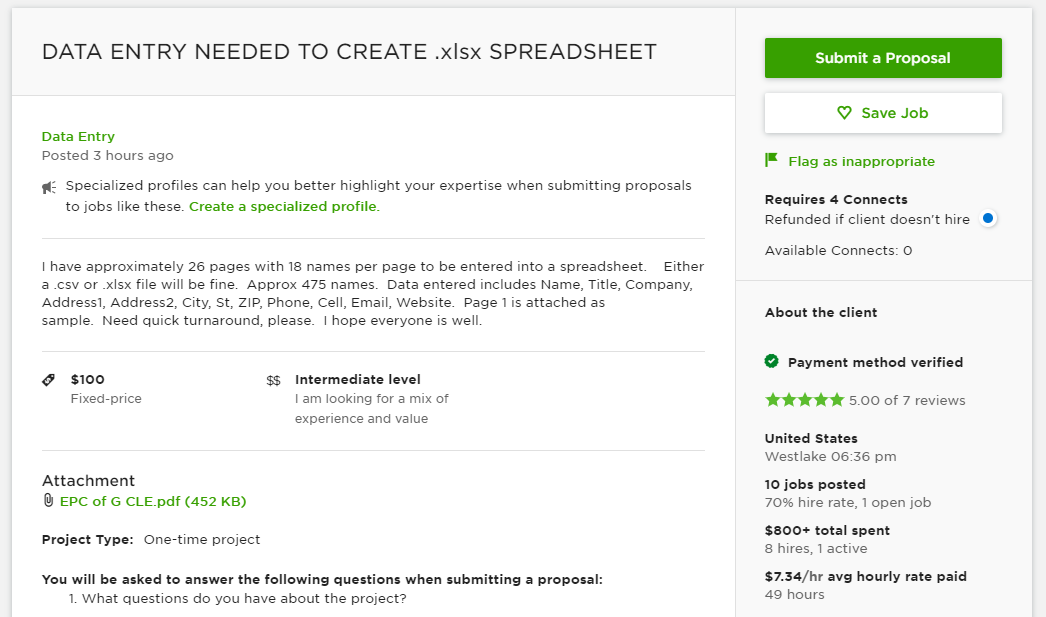
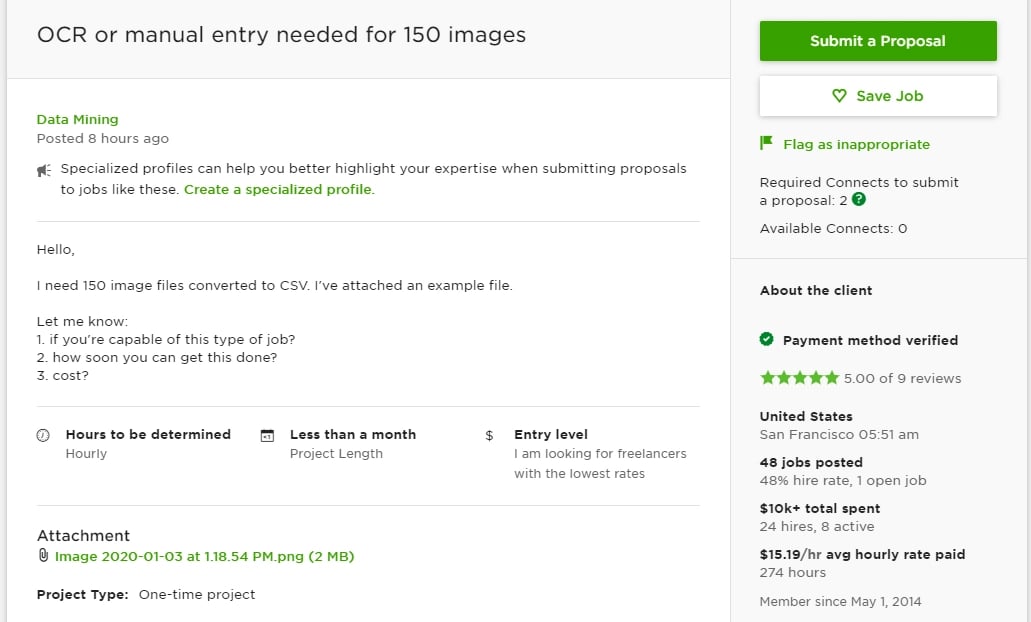
Client asks, "I have 1 page with some names and contact details to be entered into a spreadsheet. Either an Excel, CSV, or XLSX file will be fine.
I need data entered, including Name, Title, Company, Street Address, City, State, ZIP Code, Phone, Fax, Email, and Website. (when information is available on the resource file)
You will find the resource PDF file from the link below:
https://drive.google.com/file/d/1Fb2ilibgmVX-giN8eYRBx3vdr8qH1OCj/view?usp=sharing"
Database Building
Similar Project on Upwork
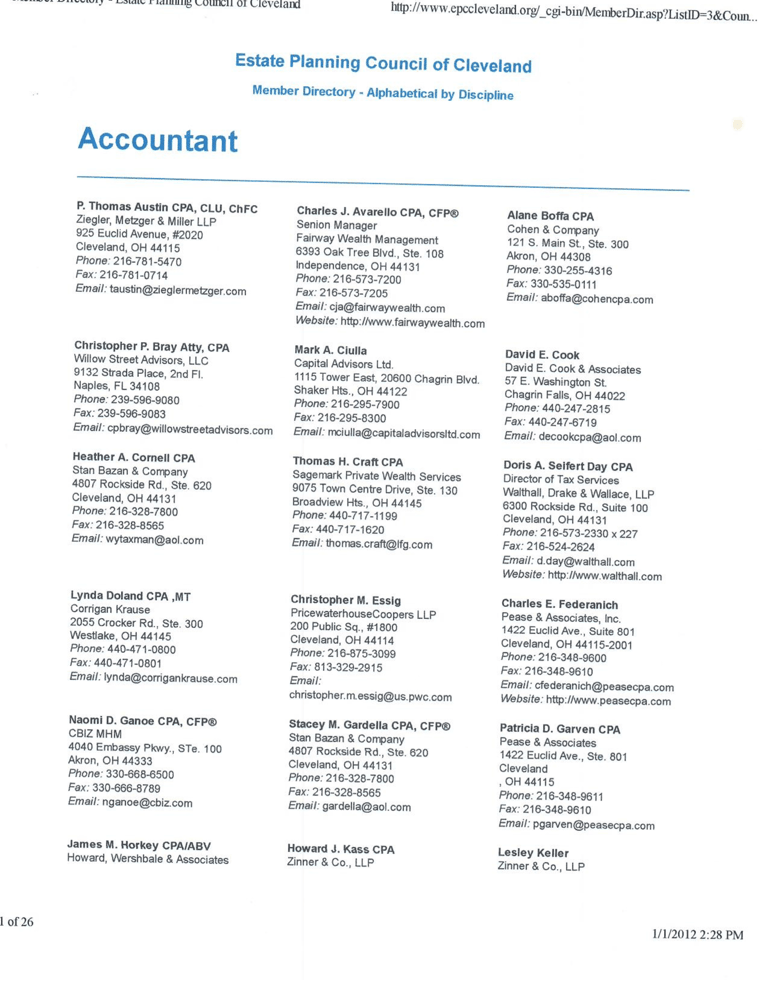
The following shows how the PDF appears
I created a form and a connected data sheet using Google Sheets to efficiently collect, organize, and analyze information. The form enables easy data entry, while the linked spreadsheet automatically updates and organizes responses in real-time. This demonstrates my ability to design functional and user-friendly tools for data management, reporting, and workflow automation. Below is an example of my work.
Then, I saved the data sheet in .xlsx file format, as requested in the client's instructions, ensuring the file was compatible with Excel and other spreadsheet programs. You can see the saved file below:
Copyright © 2025 EDMOR BRIOSO | All rights reserved.